Security & privacy

Security you don’t have to think about.

A recruitment agency holds names, phone numbers, CVs, identity documents and sometimes health or family details. Candivo is built for that: it protects the data by default, tells you where the server itself is the weak point, and keeps a record of who did what.
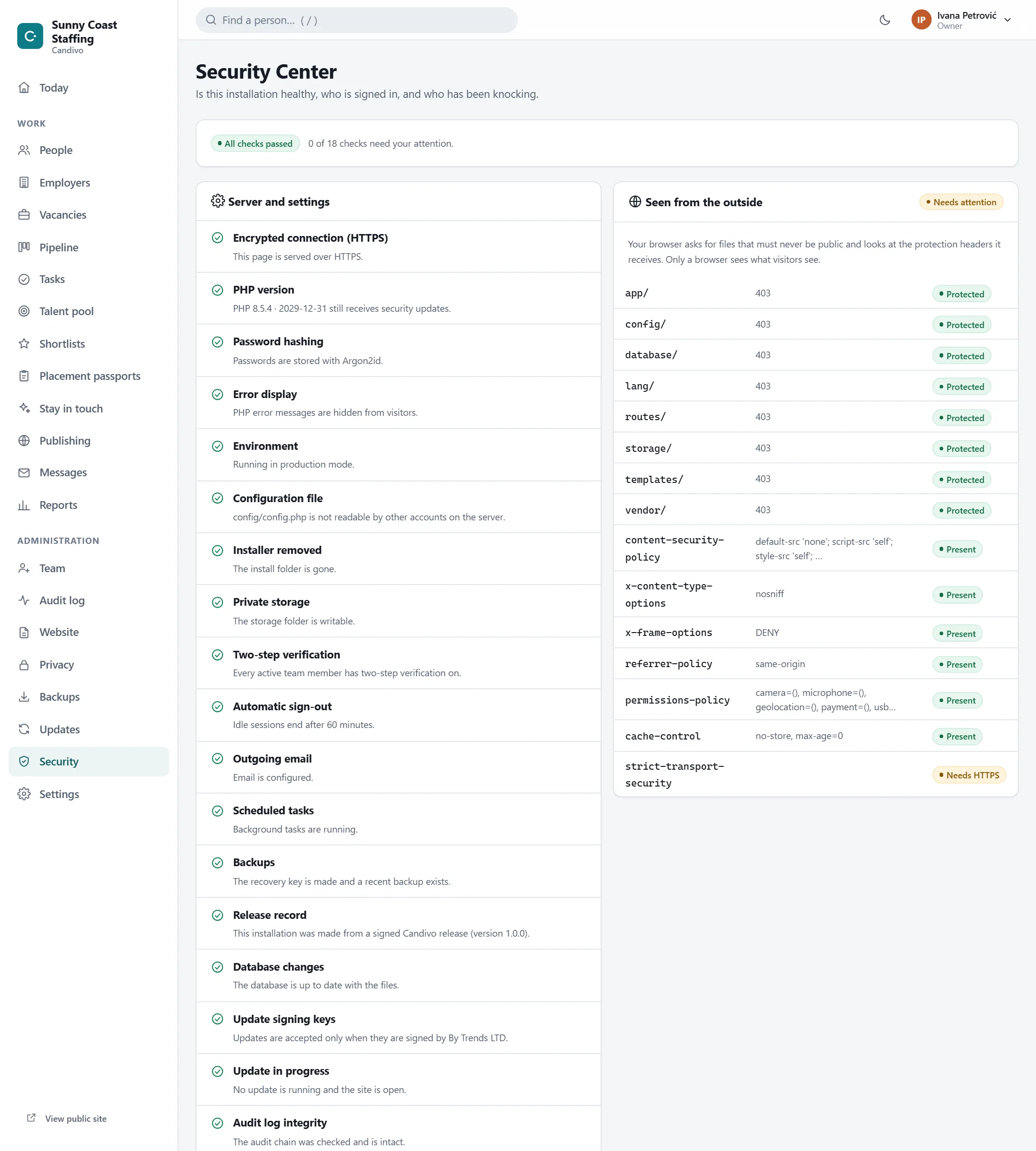
The Security Center with every check passed: connection, PHP version, configuration file, two-step sign-in, backups, signed release and audit log

Six protections, switched on from the first minute.

Mandatory two-step sign-in

Everyone on the team signs in with a password and an authenticator app. There is no way to switch it off.

Encrypted documents

Files are encrypted on disk with modern authenticated encryption, stored outside the public folders and served through a gateway that checks who is asking.

Signed everything

Backups and updates are signed. An altered file is refused before it can do harm.

An audit log with a chain

Every sensitive action is recorded; the chain of entries breaks if one is altered or removed.

Least privilege

Four roles, a fixed permission matrix, and per-recruiter visibility.

Nothing leaves your server

No analytics, content networks, fonts or update servers. Email goes through the account you configure.

Seen from the outside

It checks itself — from a visitor’s point of view.

The Security page doesn’t just read settings. Your own browser asks the server for its private folders and looks at the response headers, the way a stranger would.
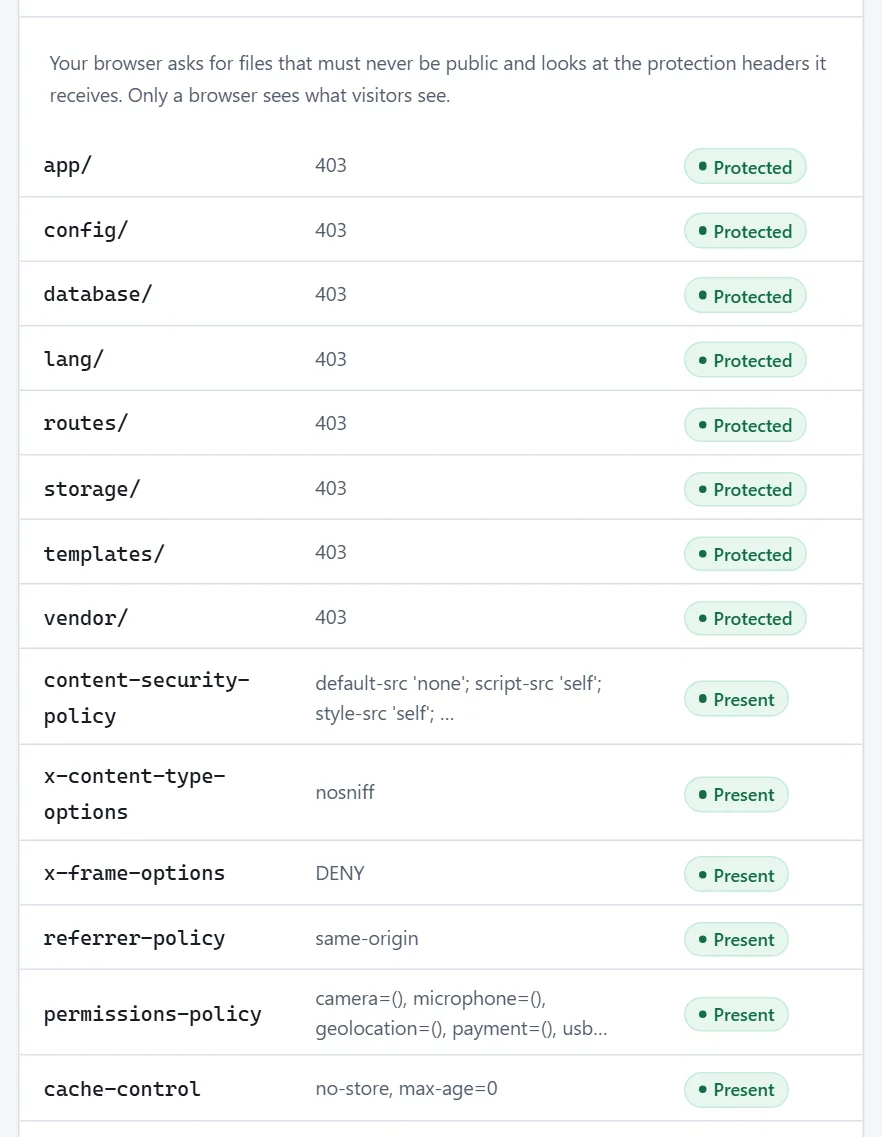
  • Private folders (app, config, database, storage …) must answer “forbidden”
  • The security headers must be present: content policy, framing, referrer and more
  • HTTPS, PHP version, error display and file permissions are checked on the server
  • Scheduled tasks, recent backups and stuck updates are flagged before they hurt
The Security page checking private folders and security headers from the visitor’s side

Signing in

The front door is the part attackers try first.

  • Two-step sign-in with an authenticator app is mandatory for the team. Ten recovery codes and an emergency key are shown once, at setup.
  • Passwords are stored with Argon2id (bcrypt where the host has none) and checked against a list of common passwords.
  • Failed attempts are throttled per account, per address and globally — and the messages never reveal whether an account exists.
  • Sessions are listed on the Security page; end any device, and idle sessions end by themselves. Changing a password ends the others.
  • Sensitive actions (exports, backups, deleting, erasing, updating, changing roles) ask for the password again.

The data

What is stored is protected where it sits.

  • Documents are encrypted on disk (XChaCha20-Poly1305, libsodium), kept outside the public folders and served as downloads through an authenticated gateway.
  • Uploads are checked by content, not by name: macros and active content in Office files and PDFs are refused, and pictures are re-encoded.
  • Dates of birth, identity numbers and similar details are encrypted inside the database too, bound to the place they belong.
  • Every query uses prepared statements and every page escapes its output. There is no inline script or style anywhere, so the content security policy can be strict.
  • Backups are encrypted to a key only you hold and are signed; updates are signed and verified file by file.

Who can see what

People see what their job needs — and nothing else.

  • Four roles (Owner, Manager, Recruiter, Viewer) with a permission matrix written in the code and covered by tests.
  • A recruiter can be limited to the people they own. Asking for a person you may not see gets the same answer as asking for one that doesn’t exist.
  • Employers never get a login: Shortlist Rooms are private, expiring, revocable links — optionally with a PIN that locks after wrong tries, an anonymous mode and a view log.
  • Every sensitive event goes into the audit log, which holds identifiers and short facts — never passwords, notes or message texts.

Privacy (GDPR)

Consent isn’t a checkbox you forget.

  • Consent is a ledger with a purpose, a date, the way it was given and an expiry. “Stay in touch” messages go only to people with valid consent.
  • People can ask for their data, a correction or erasure. The Privacy centre runs requests with deadlines, exports one person’s data and erases it everywhere, files on disk included.
  • Retention rules remove what you no longer need.
  • Candivo gives you the tools; the wording of your policies is for your lawyer.

Evidence

A log that notices tampering.

Entries in the audit log are chained with a keyed hash that is kept outside the database. Change or delete an entry and the chain no longer verifies — the Security page tells you. The log keeps identifiers and short facts, never passwords, notes or message texts.
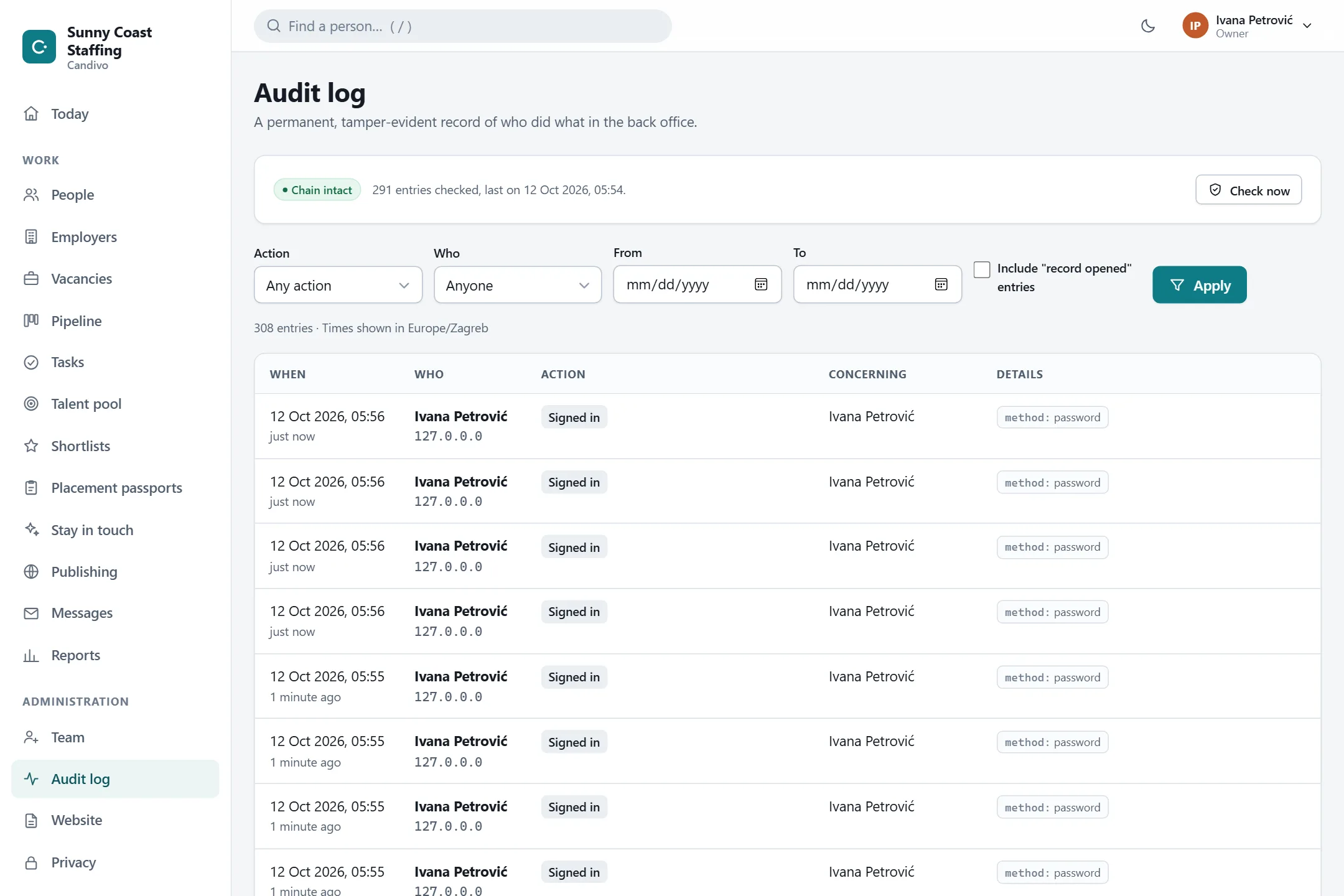
The audit log with its chain verified

Your part

What only you can do.

No software can secure a server it doesn’t control. Seven things are yours:

  1. Use HTTPS only, and keep PHP on a supported version — the Security page warns before one runs out.
  2. Keep config/config.php private and in your own backups: it holds the key that encrypts the documents.
  3. Make the recovery key and keep it elsewhere, run scheduled backups and copy them off the server.
  4. Give people the lowest role that lets them work, and remove people who leave.
  5. Keep Candivo up to date. Updates are small and checked; running an old version is the larger risk.
  6. Don’t share one account between people, and never tick “Install as a public demo” on a real installation.
  7. Treat the Security page as a to-do list: aim for all green.

Honest limits

Encryption of documents and sealed values protects against stolen database dumps, stray backups and exposed upload folders. It does not protect against someone who has taken over your hosting account or server — they have the application key too. Names, phone numbers and email addresses are stored readable on purpose, because you search them. A phone with your authenticator app and a recovery key on a sticky note next to the computer defeat the best design: keep them apart.

Found a vulnerability?

Please tell us privately first, using the contact on the By Trends LTD website, and include what you saw, how to repeat it and the version. We acknowledge reports within five working days and fix confirmed problems in a signed update. Please give us reasonable time before you publish, and don’t access data that isn’t yours. We run no paid bounty, but we’ll thank you in the release notes if you wish.

Open the contact page

Security you can inspect.

Download Candivo, open its Security page on your own server and see for yourself.